
Charging that runs on your schedule.
One service vehicle charges the cars on your lot back to back in a single visit. Every vehicle gets its own charge target and its own line on the invoice, and you can watch the visit from a portal at your desk. Dealerships, apartment and office properties, corporate campuses, fleets, and drivers who just need a standing visit.
Who this is for
The account type decides how your portal is laid out and how you are billed. If none of these quite describe you, say so in the form and we will sort it out on the call.
Selling EVs? When you send a buyer our way, they may be able to get a lower partner rate for a scheduled charge at their home, business or work within about 20 miles of Joplin, depending on how close they are and how much charge they want. They call us and name your dealership, and we confirm the price before they agree.
What your account includes
Every account gets a login to the same portal. Here is all of it, and why each piece exists.
Visits and charging
A lot manager should not have to call and ask which car is done. The portal shows it, and shows what each one costs, while the visit is still running.
- One visit covers many vehicles: each gets its own kWh amount, or a target percentage converted using that model's battery size.
- Travel and driving fuel are priced once for the whole visit, not once per vehicle.
- Every vehicle shows its own state as it moves: assigned, en route, arrived, charging, charge complete.
- Live kWh delivered against the kWh target, read from the charger itself, not typed in by a technician.
- A price per vehicle and one visit total, visible before the invoice ever arrives.
- The status re-checks itself every fifteen seconds and again when you come back to the tab.
- Contract tier pricing is applied in the quote, so a standing account is not paying a walk-up rate.
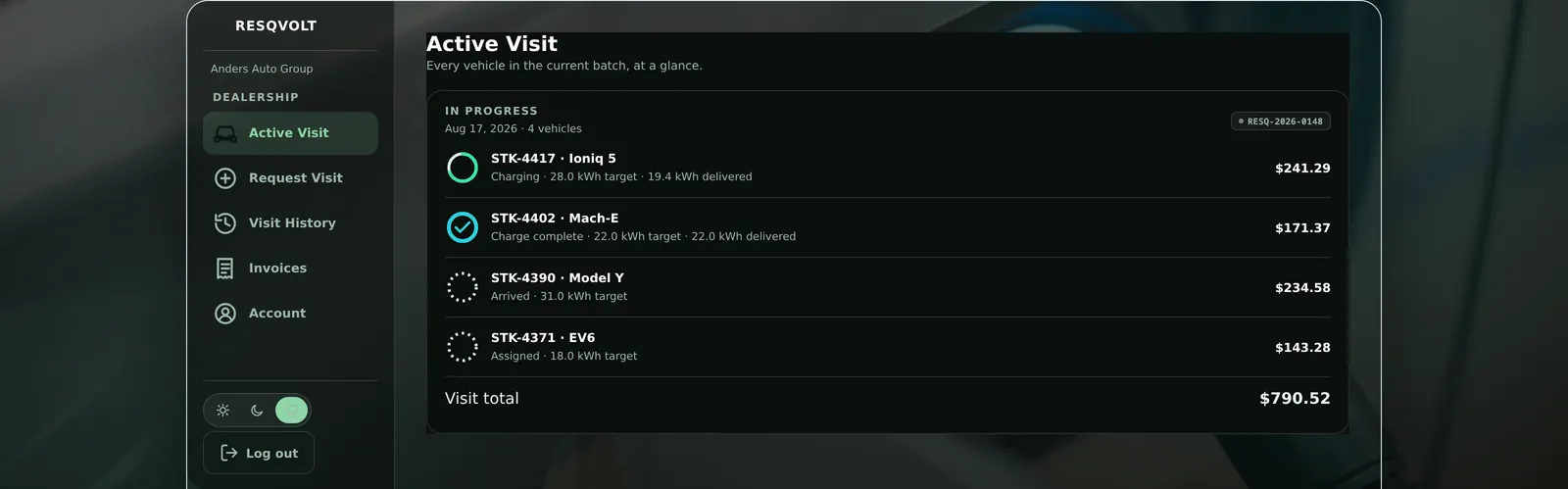
One visit, four vehicles, each on its own line while the work is happening.
Vehicles and history
An invoice that calls a car something different from what your own system calls it costs somebody an afternoon. So the label you use is the label we carry.
- Vehicles are identified by your stock number, plate, or whatever you already call them.
- That label follows the car onto the job, onto the visit record, and onto the invoice line.
- A model picker on each vehicle row, so a target percentage becomes real kWh for that battery.
- Full history of every past visit for the account, with the same per-vehicle rows and the invoice number attached.
- Your account sees only your account. The query is scoped at the source, not filtered afterwards.
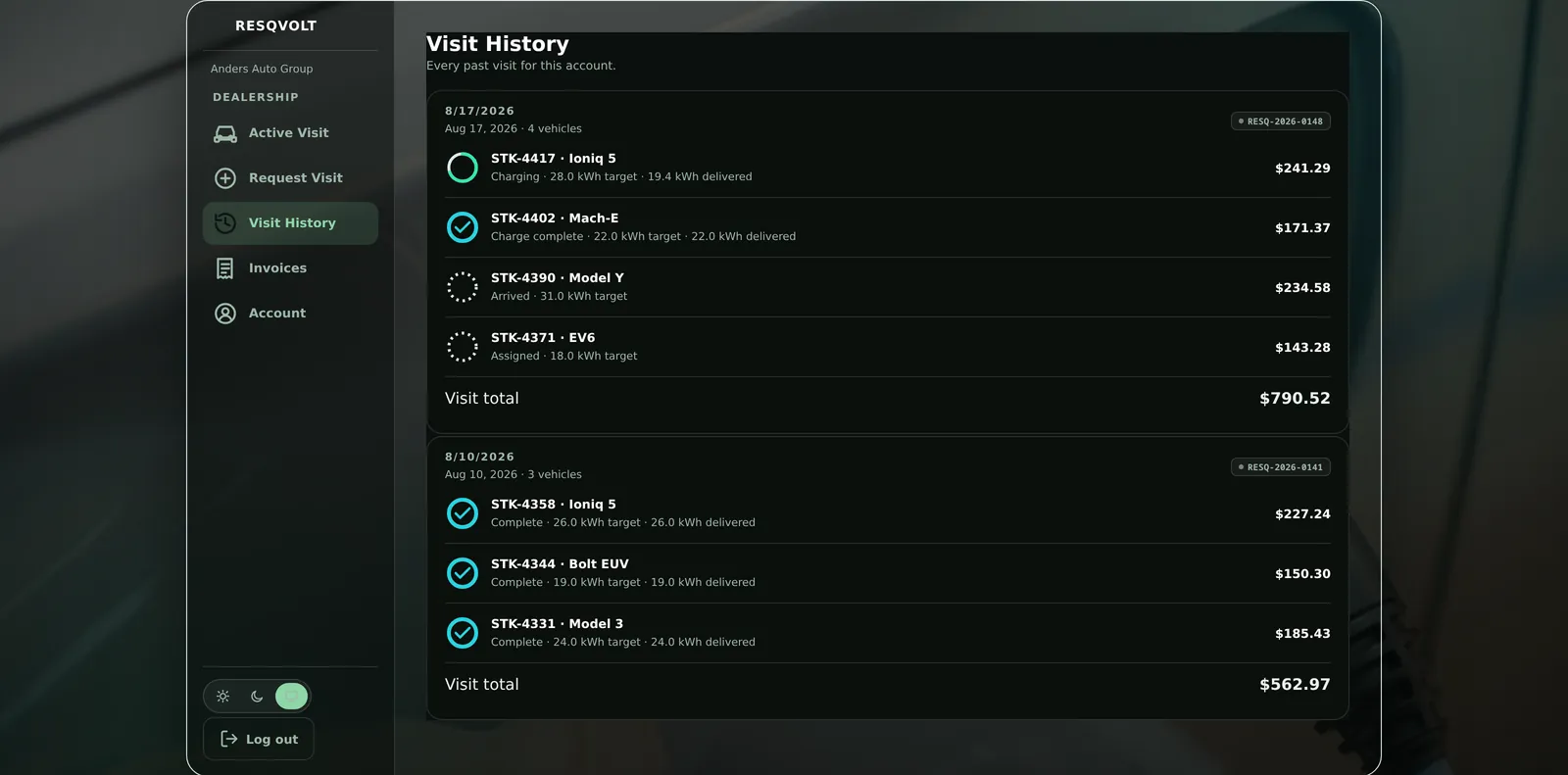
Every past visit, every vehicle in it, still itemized months later.
Billing and invoices
Businesses need a numbered record per visit that their own bookkeeping can file. The numbering is ours rather than a payment processor's, so the series stays unbroken no matter what we use to take the money.
- An invoice is created the moment a visit is submitted. One invoice per visit, one line per vehicle.
- A share of each visit is due the day we come out, and the rest is due on your account's terms: 15 days to start, 30 once you've earned it or have a PO on file. A card on file skips the split and pays the whole invoice on issue.
- Sequential numbering in a single RV-2026-#### series owned by RESQVOLT, independent of the payment provider.
- Bill to a purchase-order number or a card on file. The PO number is stored on every job in the visit.
- The invoice list shows the number, the visit date, how many vehicles, the amount, and each part of the split with its own due date.
- When a hosted invoice exists, the portal links straight to it.
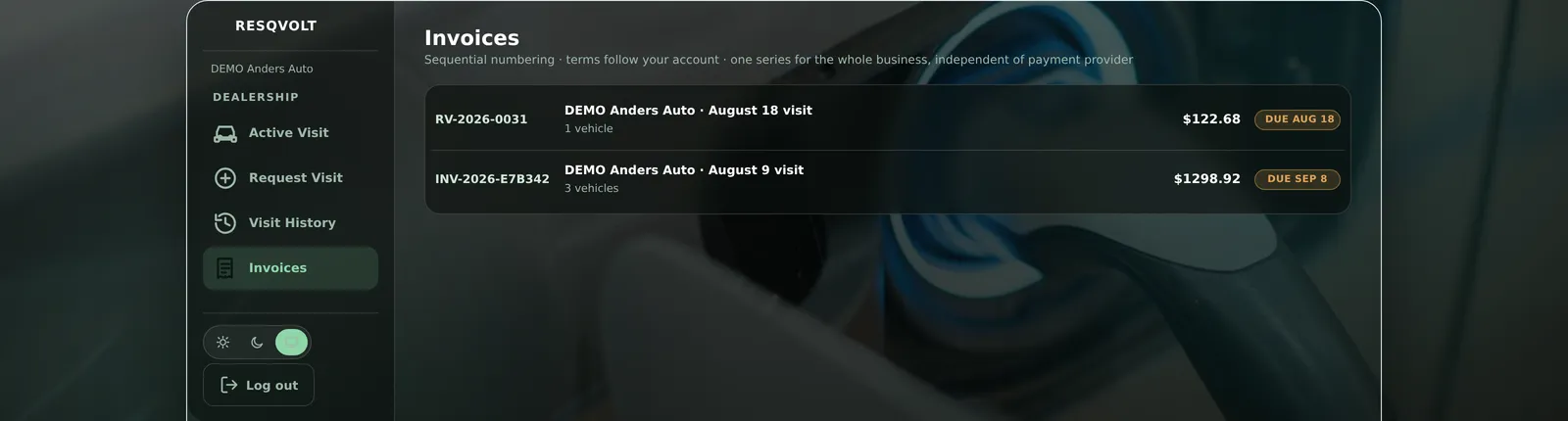
Sequential numbering, and the vehicle count on every row.
Scheduling and standing visits
A dealership lot and an apartment garage both want the same slot every week. Asking for it informally and hoping it lands on someone's calendar is how a slot gets missed.
- Request a service window from the portal: the date and time you want, plus notes like the gate code or which spaces to use.
- Your upcoming windows are listed with their recurrence and notes, so everyone can see what was actually agreed.
- We can set a standing cadence for the account, weekly, every other week, or monthly, on a chosen day and start hour.
- A standing cadence puts the next occurrence on the schedule automatically, once per period, ahead of time.
- Recurring visits price through the exact same engine as any other visit. There is no separate contract rate card to reconcile.
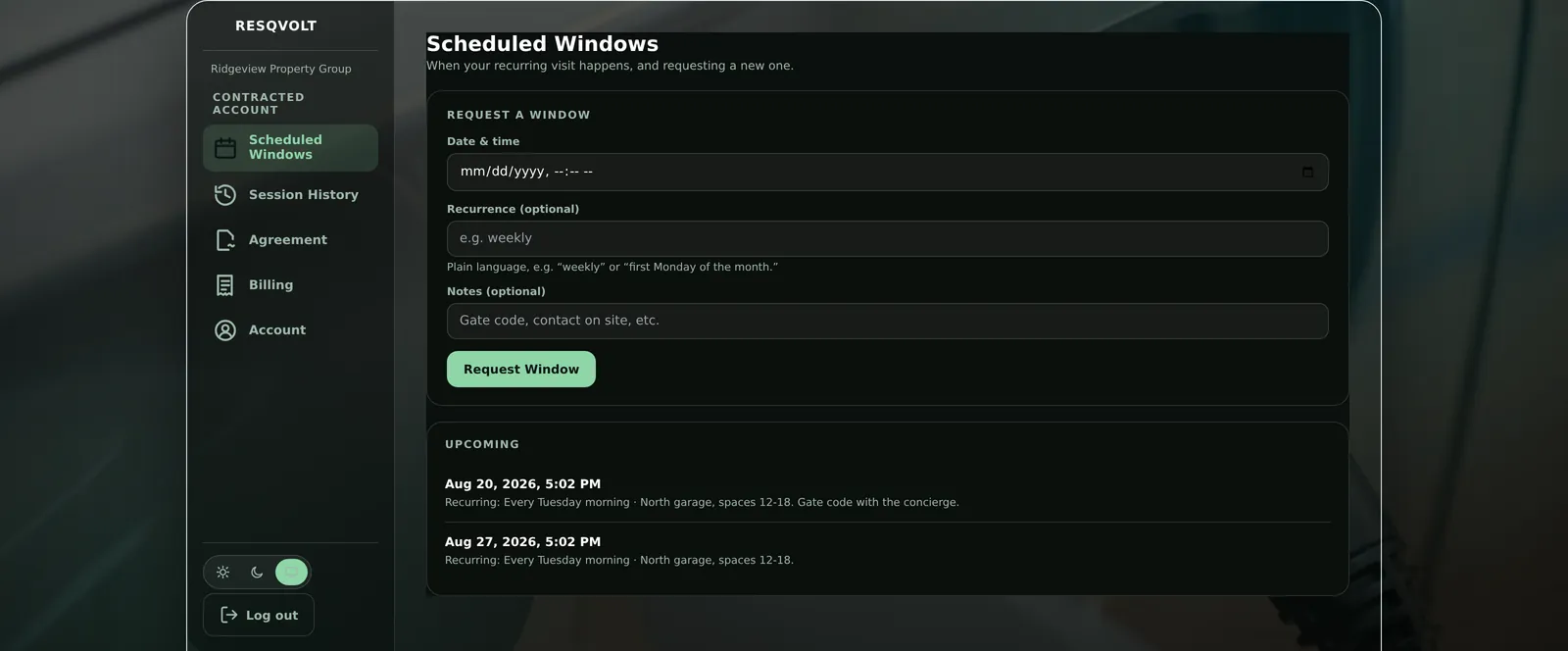
Request a window, see the ones already on the calendar.
Agreements and site access
Unattended charging on someone else's property is a real permission, not a favor. Signing it properly protects the property manager as much as it protects us, so the record is built to hold up.
- Review the property-access agreement and accept it in the portal, with a two-tap confirm rather than one stray click.
- A separate, explicit consent to do business electronically. It cannot be pre-checked past you.
- The acceptance record keeps the signer's name and email, the exact time, the IP address, the browser, the template version, and a hash of the exact text agreed to.
- Re-acceptances are added to a history, never written over the previous one.
- Unattended charging access stays off until an agreement is on file. Supervised visits still run in the meantime.
- Not ready to sign from the portal? One button asks us to send it instead.
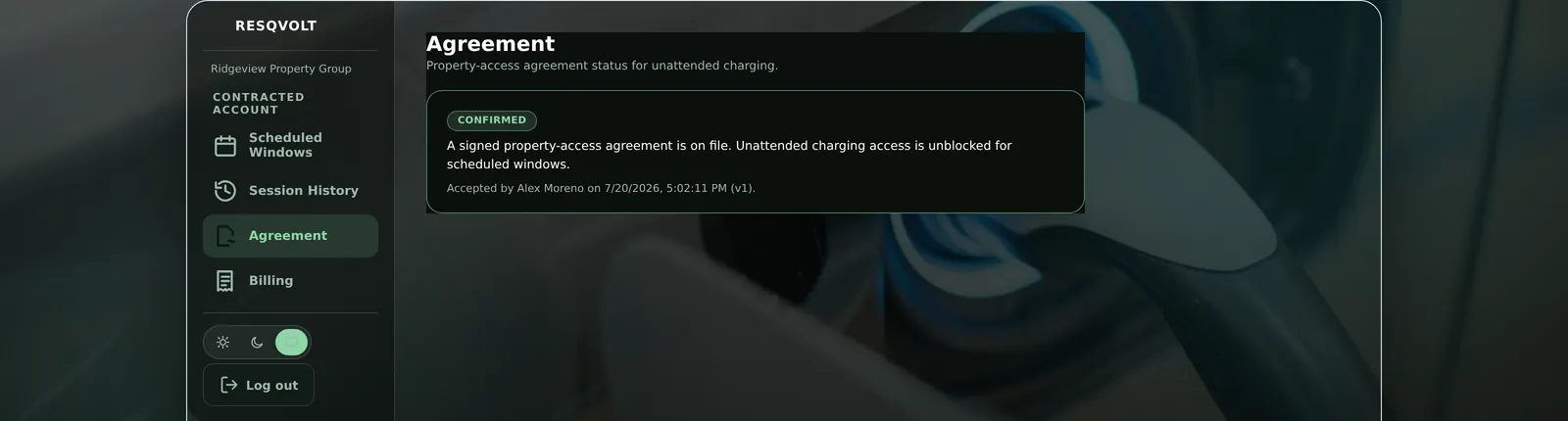
Signed, timestamped, hashed, and shown back to you.
Access and support
One account seeing another account's invoices would be a serious problem for both of them. That is prevented at the query itself, not in the interface, where it would only ever be a display rule.
- Your own login: an account email and password, with the session lasting thirty days.
- Every request is scoped to your account at the query. Another account's visit or invoice simply does not exist for you.
- Login is rate limited, and a wrong password and an unknown email return the same message, so the form cannot be used to discover who has an account.
- Two portal layouts, one for dealerships and one for contracted accounts, chosen from your account record.
- Works on a phone or tablet as well as a desktop, with a drawer menu on small screens, and a light or dark theme.
- An account page with your account name, type, contact details and pricing tier, always visible.
- Accounts are set up by us, never by a signup form, so nobody provisions themselves into your billing.
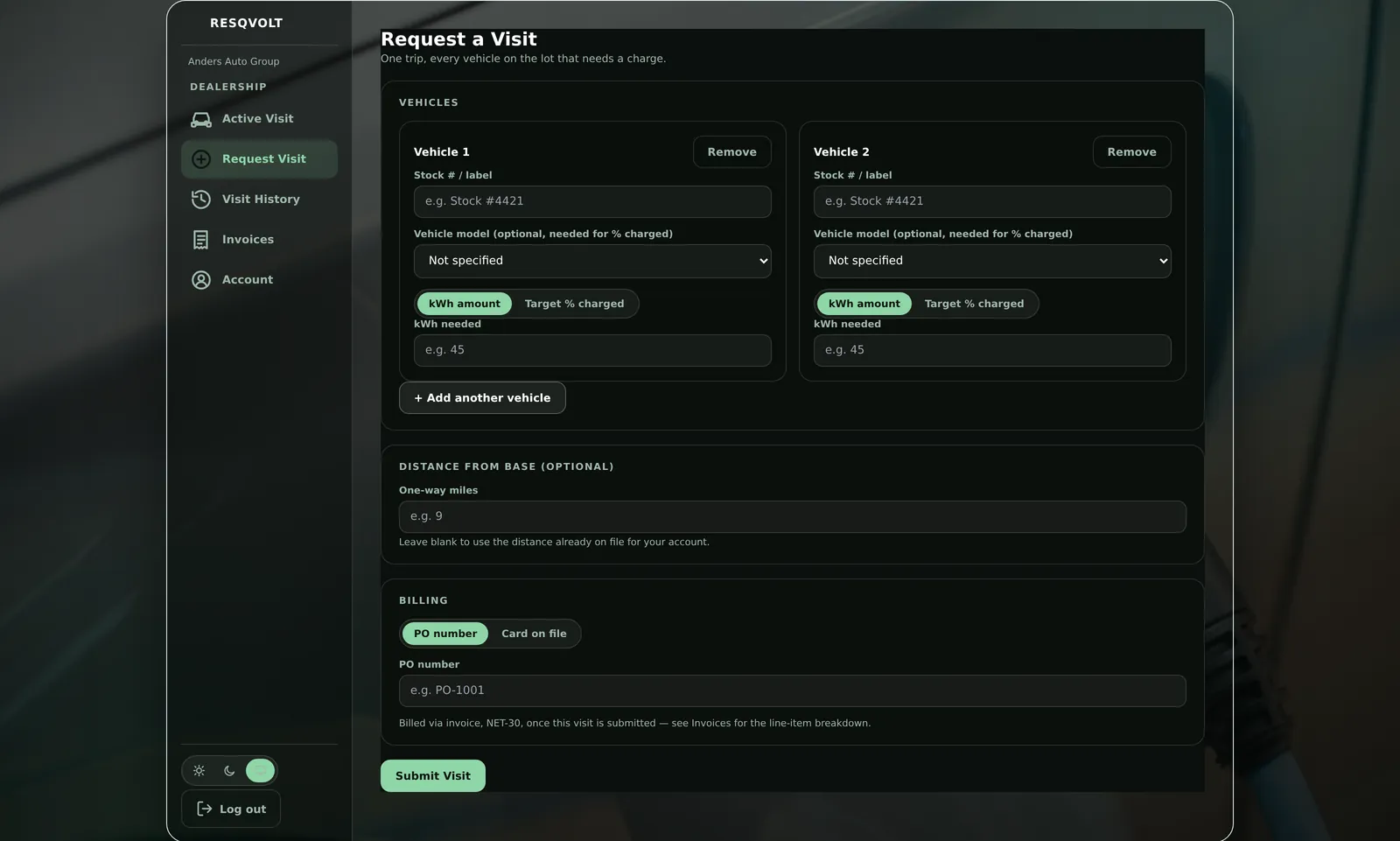
Requesting the next visit, from the same login.
How a contract works
Five steps, and only the first one is on you today. There is no signup form for the portal on purpose: accounts are set up by a person, after a conversation.
What we have not built yet
Because it matters more that this list is accurate than that it is short. There is no CSV or PDF export from the portal yet, so if your accountant wants a bundle, ask and we will send it. There is no self-serve password reset yet either. Per-vehicle lifetime totals and a rolled-up monthly statement are built and in final testing, and they are not switched on for accounts today. The partner rate for buyers a dealership sends us is set on the phone for now, because the online quote does not show it yet. Everything above this line is running now.
Talk to us about a contract
This goes to the owner’s inbox. Expect a reply within one business day. If a vehicle is stranded right now, don’t wait on this form: get a charge now.